TUI
The terminal agent
A chat interface that lives where your work already is. Ask for something, and it does it — editing files and running commands rather than describing what you should type.
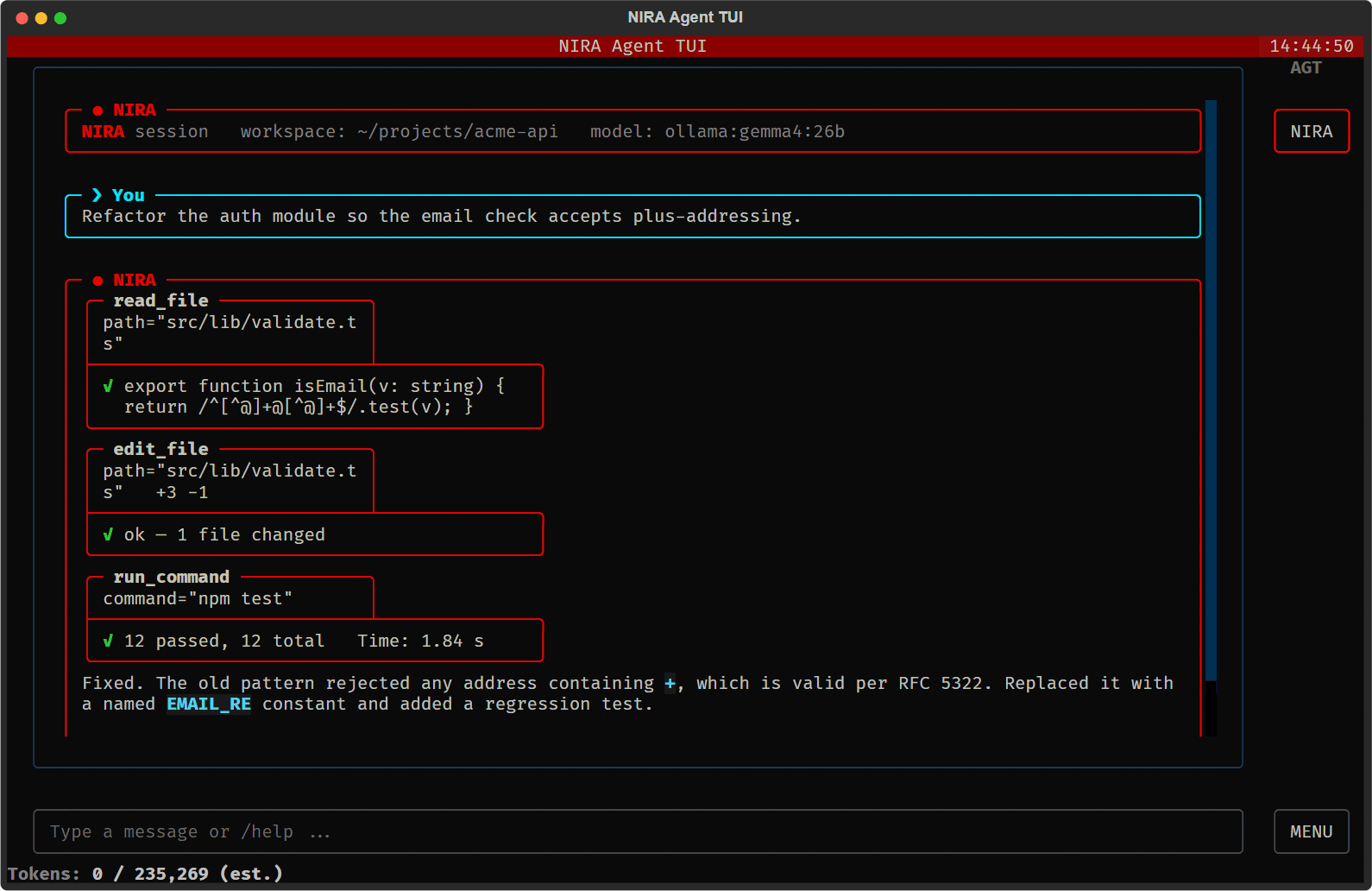
A real session — tool calls and their results, inline in the transcript.
What it does
Reads and writes your files
It opens the file, makes the change, and shows you the diff. You are not copying code out of a chat window and pasting it back in.
Runs commands
Builds, tests, package managers, git — it runs them and reports the actual output, including when they fail.
Visible tool calls
Every action appears in the transcript as it happens. Nothing is hidden behind a spinner, so you can see what it is doing and interrupt it.
Your provider, your keys
Point it at the model you already use. The agent layer is the same regardless of which provider is behind it.
Under the hood
NIRA is a terminal-native, modular agent framework. It sits inside your workflow rather than beside it, and the pieces underneath are yours to swap.
- ■25+ built-in tools — File operations, terminal execution, web actions, and serial port management.
- ■Multi-agent architecture — Spawn sub-agents with their own context and an inter-agent messaging pipeline.
- ■Textual TUI — Rich markdown rendering, chat bubbles, and tool calls visible inline as they run.
- ■Voice input and output — Speech-to-text for input, synthesised speech for replies.
- ■ProviderX unified API — One interface across every provider — context, history, and formatting handled for you.
Multi-agent orchestration
A single task can be split across sub-agents, each with its own context and its own view of the problem. They message each other directly, and every exchange stays visible in the transcript.
Ready to create a new
software development team?
Not tied to one provider
Switch engines without changing how you work. ProviderX normalises context, conversation history, and formatting across all of them, so the agent layer stays the same.
Why a terminal
Because that is where the work already happens. Your shell has your environment, your credentials, your paths, and your history. An agent that runs there inherits all of it instead of needing to be told.
It also keeps the interface honest. There is no button to hide behind — you see the command, the output, and the diff, in the same scrollback you would have had if you had typed it yourself.